OSL Extensions in 3Delight
Subsurface Scattering Inside Intersecting Volumes
Subsurface scattering (SSS) is accessible in 3Delight through the ᴏsʟ subsurface() closure.
It simulates the scattering of light inside a volume bounded by a closed surface.
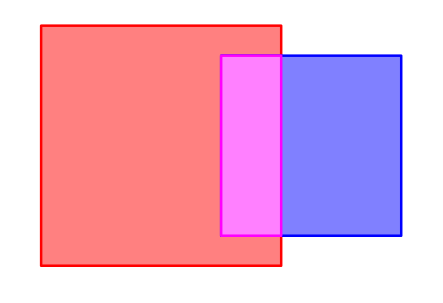
A complication that often arises when using this feature is the problem of intersecting SSS volumes.
This results in a third volume, also bounded by a composite closed surface.
3Delight handles overlapping SSS volumes that don’t have the same properties by mixing them together, thus creating a hybrid material inside the intersection.
For this to work properly, the ᴏsʟ subsurface() closure must be used on both entry and exit of the volume. As a consequence, it shouldn’t depend on the orientation of the bounding surface normal.
Intersection Priorities
However, this behavior can be changed by assigning priorities to SSS shaders through the optional intersectionpriority parameter of the subsurface() closure.
Inside the intersection, the SSS shader with the highest intersection priorities will be used exclusively.
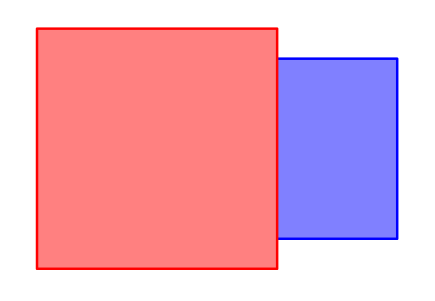
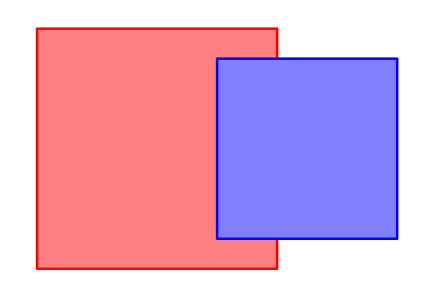
This tends to be useful when the intersection is not accidental, but rather the result of a decision made when defining the scene geometry. For example, in a model of a mouth a set of teeth can be designed to penetrate the geometry of the gums. This avoids modelling a small “pocket” on the gums around each tooth. In that case, the teeth should be assigned a higher priority than the gums in order for their roots to use only the tooth shader.
The intersectionpriority parameter is an integer between -60 and 60.
Its default value is 0.
Merge Sets
Even when overlapping SSS objects use the same shader, 3Delight still treats the intersection as a separate volume with its own surface. This is often not the desired effect. The geometry of the intersecting objects is still intact, so it hinders the propagation of light inside the volumes. The result is darker or brighter areas on the surface along the boundary.
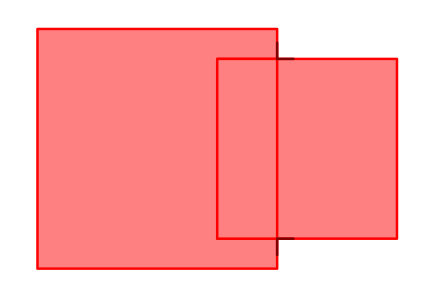

This can be fixed by assigning a Merge Set name to each SSS material through the optional mergeset parameter of the subsurface() closure.
SSS volumes within the same Merge Set will be considered as a single volume, without internal divisions.
This tends to be useful when a complex object is made up of multiple pieces of geometry that overlap in order to appear as a single object.